
Hey,
i've just bought the upgraded for my reference 4 licence, but somehow i can't upgrade now, because I'm missing the button in my profil/licence overview. I also get that strange error, when i try to remove the Licence..
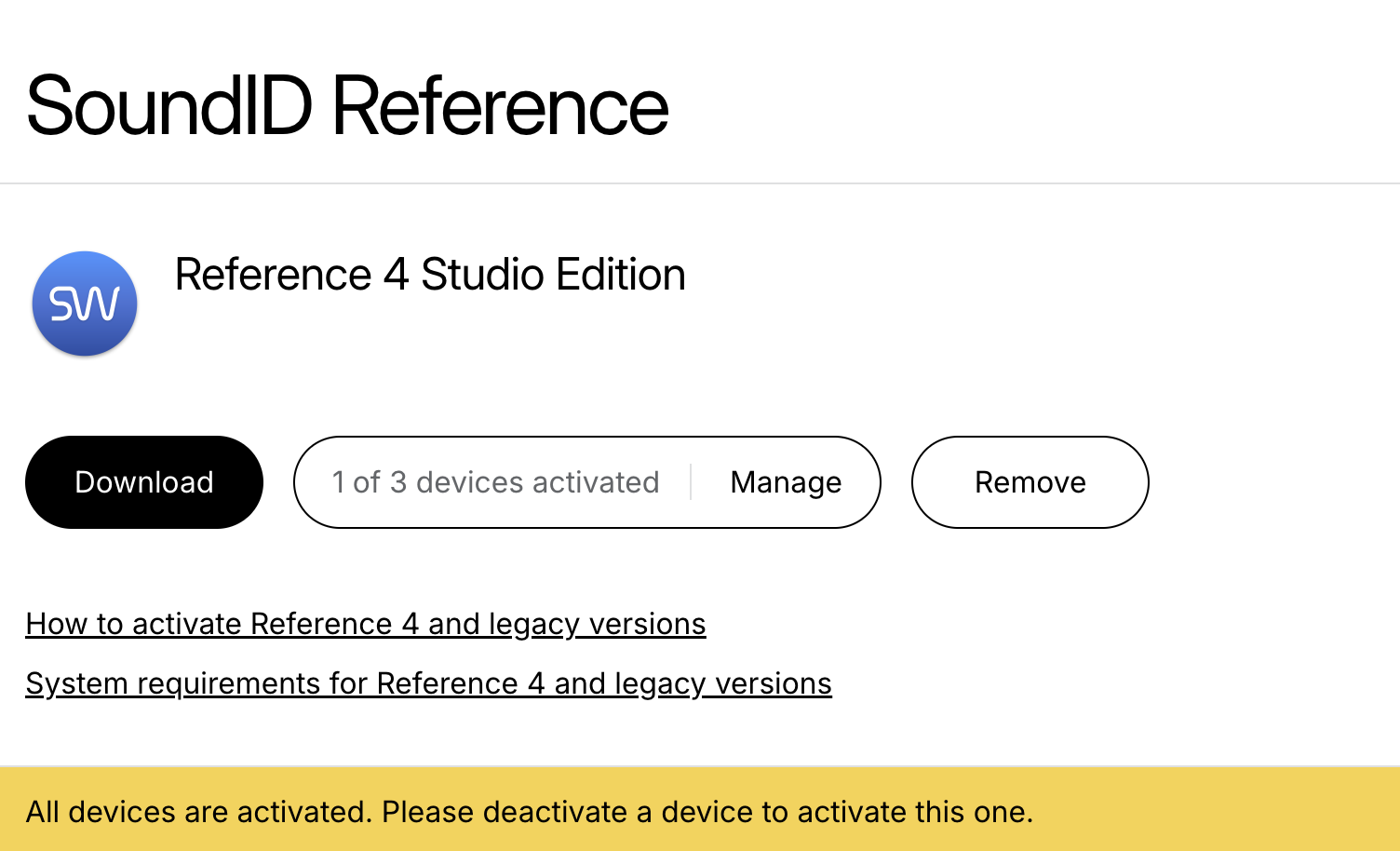
Also I've dowloaded SoundID, but it' not showing up in my audio outputs. Software is up to date with version 5.13.6.1270. Already searched community posts and found some old post related to “CoreAudio went missing”. I also had this error, Sometimes it's there and sometimes don't.
What a messy situation…i just wan't to have my room set up prop…
Can you help?
2 comments
I was able to fix a part of my problem - found the cause on my system, in case it helps someone else.
Symptom:
SoundID Reference standalone showed “CoreAudio driver went missing”, and the SoundID virtual output device did not appear in macOS audio outputs. The VST3 plugin still worked fine in Ableton.
In my case the SoundID HAL driver was installed and valid, but CoreAudio could not load it because the parent folder permissions were wrong:
/Library/Audio/Plug-Ins
It was owned by my user account and set to 700, so the _coreaudiod system user could not traverse/read the HAL plugin folder properly.
You can check it with:
stat -f '%Su:%Sg %OLp %N' /Library/Audio/Plug-Ins /Library/Audio/Plug-Ins/HAL
What fixed it for me:
sudo chown root:wheel "/Library/Audio/Plug-Ins"
sudo chmod 755 "/Library/Audio/Plug-Ins"
sudo chown root:wheel "/Library/Audio/Plug-Ins/HAL"
sudo chmod 755 "/Library/Audio/Plug-Ins/HAL"
sudo killall coreaudiod
Then I reopened SoundID Reference. After that, “SoundID Reference” immediately appeared as a virtual output device in macOS and the Mach port / CoreAudio driver errors stopped.
So if reinstalling SoundID does not help, check the permissions of the Audio Plug-Ins parent folder. The driver itself may be fine, but CoreAudio may simply not be able to reach it.
I'm left with the license upgrade topic :D
Hi Jeffrey Oleghe,
Thanks for posting and letting everyone know how you resolved it. That's great!
Regarding upgrading, please try again. There was a short-lived bug that should now be resolved. Just in case, refresh the page too. The button should now show. Enjoy the upgrade!