
Hello! Long time listener, first time caller.
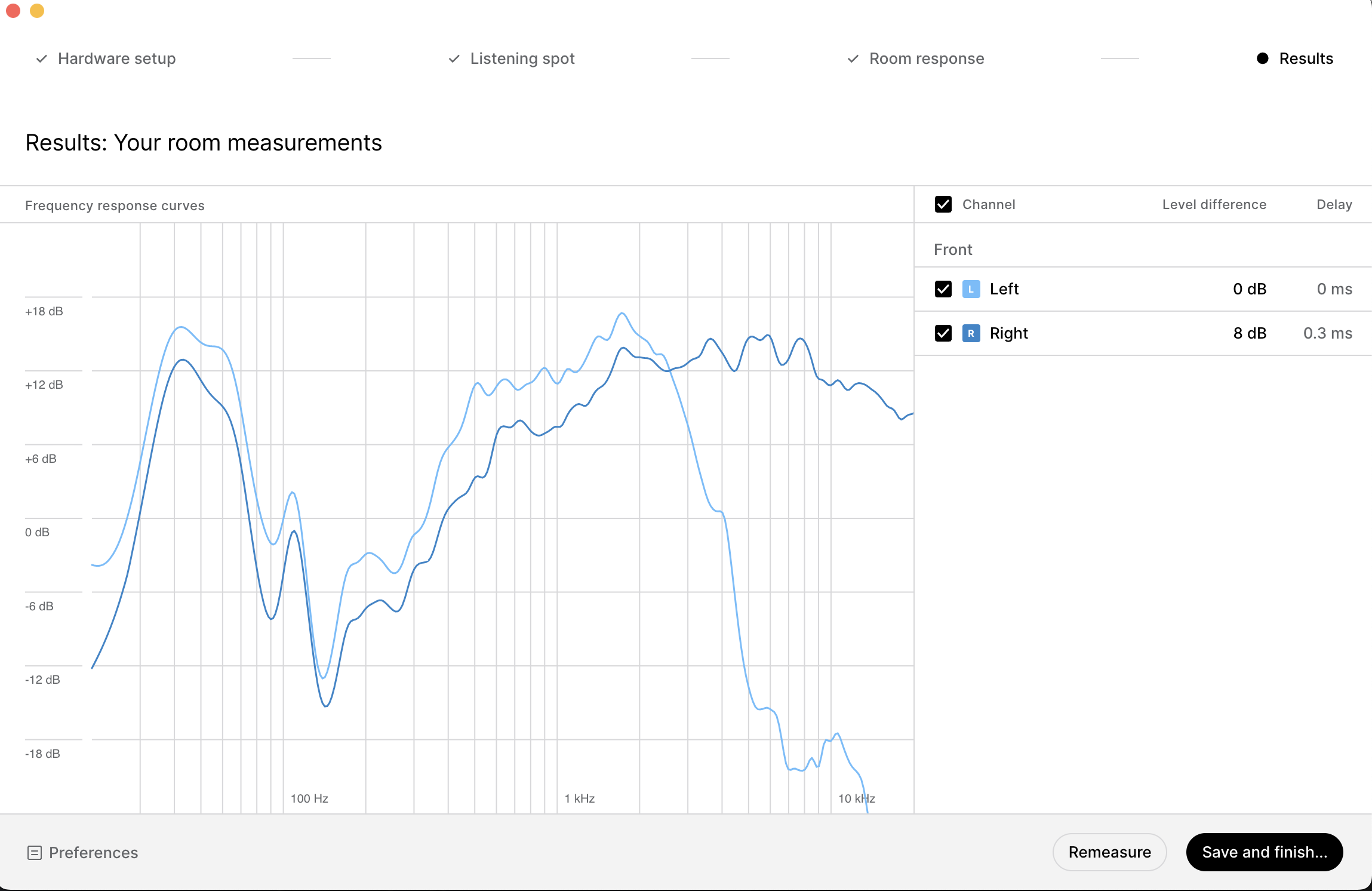
I ran the calibration twice with an identical result. I have looked at many “sample” curves on tutorials and elsewhere. Those guys were complaining about a 6db swing in one direction or another. Well..mine is 3 times that and on the high side the left and right signals cross, and then the left channel takes that crazy nose dive. I've never seen that ever. Can someone shed some light? I'm sure this is user error but I dont have any idea where to start.
Thanks.
DE
5 comments
William Edinger it looks like a blown tweeter on the Left speaker. Should be a fairly cheap replacement/fix job.
Thanks for your input, Karlis. This is a brand new speaker so that isn't impossible, but unlikely. Is there any other possible explanation? They don't sound blown with the calibration off.
Yes, I would say so. There is clearly little to no content coming from the L speaker, based on the measurement. There is no reason to suspect a faulty measurement; the R speaker measures just fine too. I have also seen the same thing personally, and it looked exactly like this (although it was an older speaker and the issue was already suspected before the measurement).
The driver doesn't necessarily have to be blown either; it can also be a loose connection or a similar production fault. You could do some tests, performing some test tones/sweeps, let's say, above 10 kHz only (you'd have to find them online or use some plugin for it), on each speaker separately, to validate if there is anything coming out of the tweeter.
Hey Karlis. I swapped the cables and ran the test again in reverse. The weird nosedive appeared exactly the same on the right side. I also have spent some more time with the speakers without the calibration applied and the speakers sound perfectly normal. Im not sure what to try next but Im leaning towards trying another interface. Im at a loss.
Okay, so based on your test, there are a couple of potential causes: