
I have Reference ID multichannel license and have calibrated my system as a 2.1 system, meaning the monitor outs from my Apollo feed the left and right monitors, while line out 2 of the Apollo x8 is the dedicated subwoofer output per Universal Audio's instructions.
After that, I installed the Apollo monitor control software.
When I open the Apollo Console and open the Monitor Controller window, I can see the three channels of sound on the Console, but the “ENABLE” button is gray. Gray to me means off.
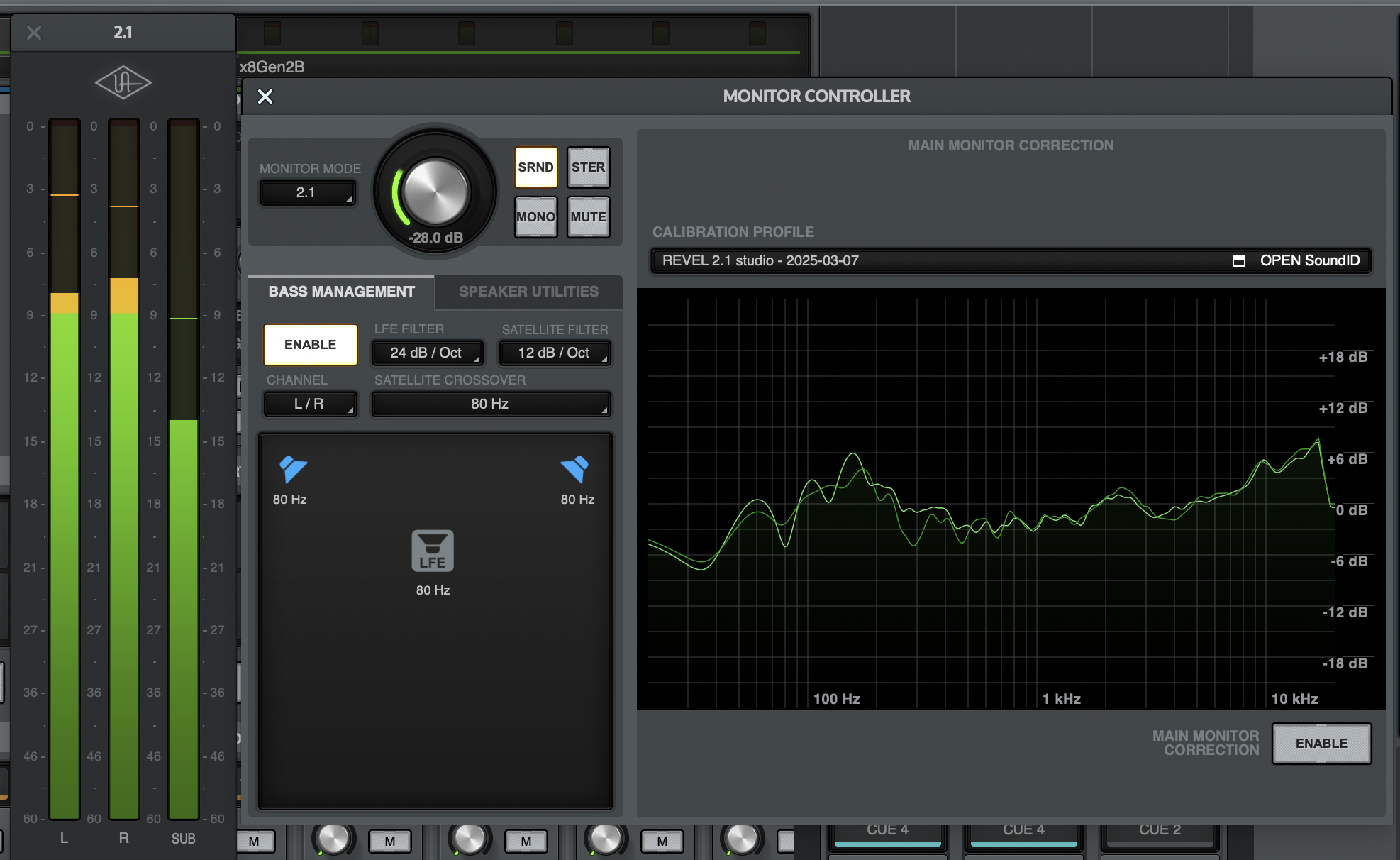
If I click “ENABLE” so it lights up, the SUB channel signal disappears and my fingers on the subwoofer cone confirms this
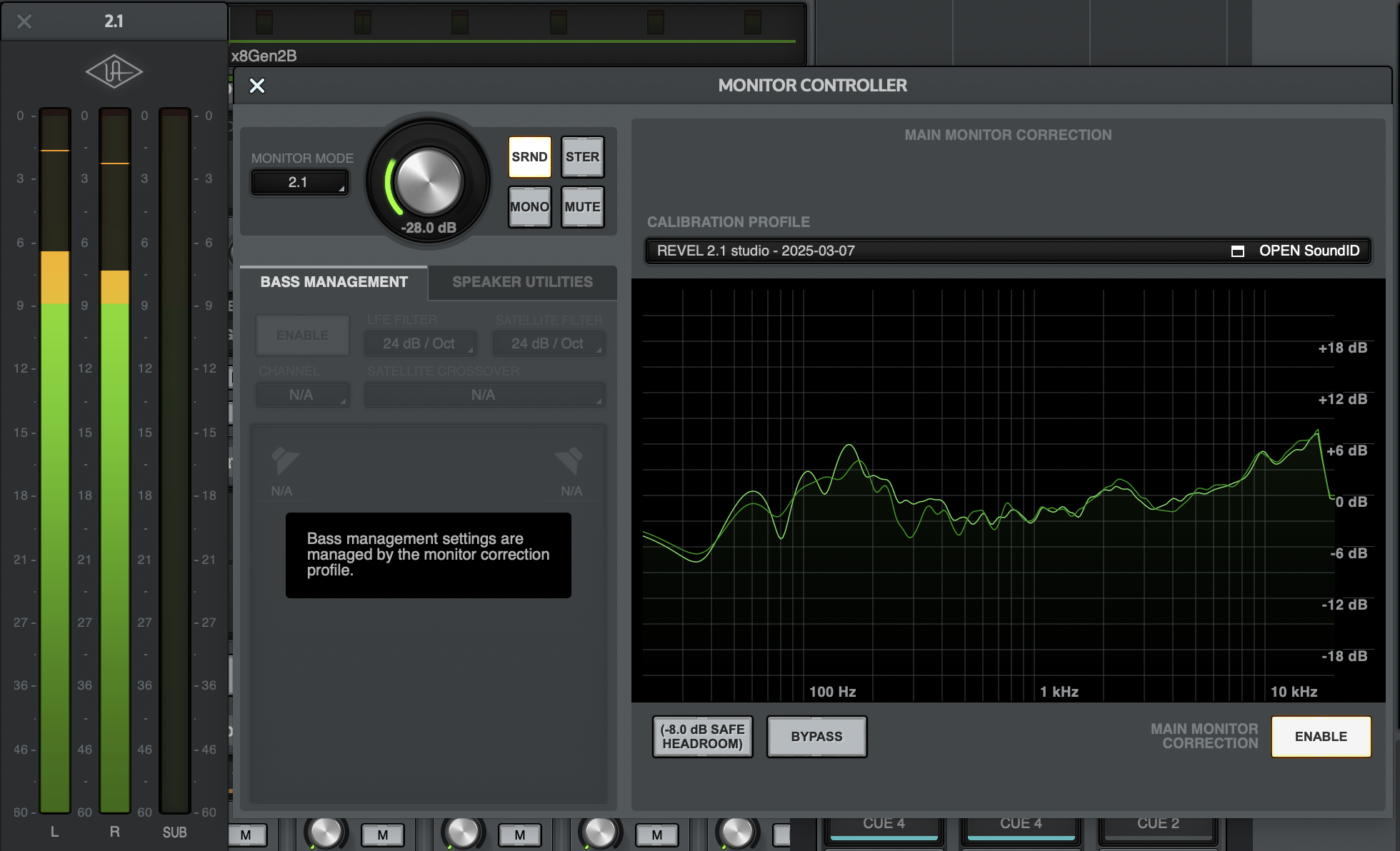
I believe the technical term for this is bassackwards, pun intended. Does anyone else have this problem?
3 comments
It's the weekend, but I'll try sending this link to a support ticket. It's probably to complicated for a user forum . . . .
This is interestinhg. I did see a new release came out 3 days ago for SoundID so I downloaded it. When I tried to apply my existing profile to the Apollo, this message came up: Could this have been message I didn't receive when I first did it but now the bug has been corrected? I think I would have not ‘dismissed’ my way through this message, so I think the end result is I should start over and do another calibration. Just want to make sure I do it correctly. The first time, I had issues with feedback from the sub created by the Sonarworks microphone.
Well, it probably doesn't make much of a difference, but my subwoofer died last Friday and I brought to a great tech in Bantam CT who fixed it on the spot. Two 1 Ohm resistors were blown, and he had to replace them with two 2.2 Ohm resistors in parallel for each 1 ohm resistor. Now it's only 1.1 to 1.0 of a difference but it would probably nag in the back of the head, so I don't mind re-calibrating. That will happen Monday when the peanut gallery isn't here :)
The system is acting the same - no subwoofer output unless SoundID is disabled.
Okay, Monday morning and I've taken a new calibration point. There was a new version of the software that came out February 26th. I tried documenting everything should it be helpful to tech support. In the end I have created a new SoundID calibration which does look a bit different than the first one. More importantly, the subwoofer is active when the Calibration ENABLE button is lit up (instead of the actual opposite). So if have/had this problem and are looking for a fix, get the new update and no need to read further.
I watched an interesting video comparing the Trinnov Nova, the IK Multimedia ARC and the Sonoarworks system. I'm concerned that the Sonarworks calibration method is both thorough and susceptible to human error. If anyone is thinking they're not please with their results, try carefully planning to recalibrate when you have the time to take things slow. I used a microphone stand with a heavy round bass while I took all my measurements. It provide consistency in height. I did this for both calibrations but I I'm more pleased with the second calibration. Also, in both cases, I used blue painter tape to define the N S E W of the mic base. Even though you end up moving the base around a lot, it helps give you a reference point when looking at the screen.
Here are few notes on the second calibration:
1. I was able to set my Apollo's output level at a reasonably low -30.5 dB for my “normal speaking voice” test.
2. By carefully adjusting the gain of the mic preamp in the Apollo, meaning slowly, I was able to bring it up to 53 db of channel gain without getting the killer subwoofer feedback that frustrated me the first time. I don't think this is anything that changed, just that I was more experienced with the software. Surprisingly I only hit feedback on my first try, but completed the test successfully on the second try. I will note that 53 db is a lot of gain for a mic, and was nearly dimed, with only 12 db left in the full 65 db range.
3. I was extra careful about my ear height, which I may taken as my eye height the first calibration. This time, in my new Steel Desk Gesture chair (hello true love), my ear holes are a full 2" lower than my eyes, so set to 44". In early listening tests, I can say that the SWEET SPOT is much larger than before (both without calibration. My first calibration attempt eliminated phase issues I had without calibration, but the sweet spot was very small, to the point of leaning back affected timbre changes, if not outright phase issues. The new calibration give me freedom in leaning back to a bit more than the mid point of the max lean before noticing some changes in tonality.
4. Getting the speakers measured before taking the 37 measurement points means passing the subwoofer test with levels. This took the most number of retries before I was able to get bass level to pass the match with the mains. Interestingly, it was finally achieved at the same level as the fist calibration which is -10dB (max) trim of the sub (and +10db LFE set off). But I will say that there is still a bug that when you click “retry” without first going back, you always get the same result and same reading. So if I fail the test and get +5.8 dB for instance, then trim 5db off the sub in the Apollo's bass management, and the “retry” = I'll fail again with the same -5.8dB reading. You have to click “back” and then just try the test again as if you're starting from scratch. No big deal once you figure it out.
If anyone is interested in how a fantastic audiophile speaker sounds driven by a Integra RDA 7.1 (only use 2 of the 7 channels) needs to be corrected in an acoustically treated room, above are the Revel Ultima Gem2 with the Revel Perform B12a subwoofer.